Baby Sensory Waltham Forest runs award-winning baby development classes across Woodford, Loughton, Chingford, Buckhurst Hill and the surrounding areas. Every new term, holiday programme, and seasonal event needs a poster — and every poster has to meet the national franchise’s strict brand book. The class leaders are experts in babies, not in design software.
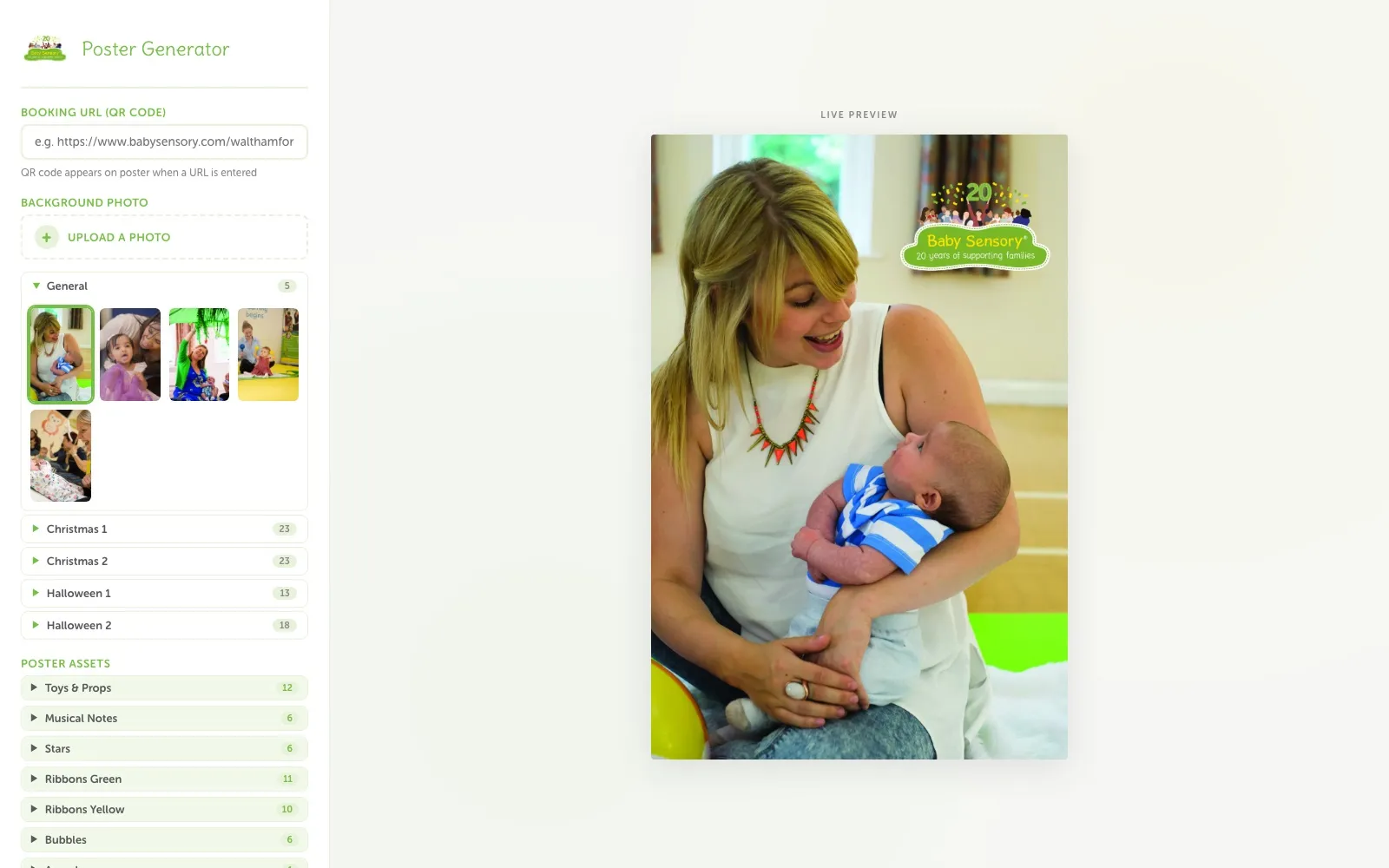
01. The Challenge
The brand book is non-negotiable: approved fonts, approved colour pairings, official logos, branded photography. Every time a poster was needed, that forced a bad trade-off:
- The Designer Round-Trip: Brief a designer, wait for a draft, request changes, wait again. For a “spaces left on Tuesday” poster, days of turnaround and a design fee for a single sheet of A4.
- The DIY Drift: Knock something together in Word or Canva — quick, but the fonts are wrong, the colours are off, and the brand team isn’t happy.
- The Volume Problem: Christmas, Halloween, new-term launches, class changes — this isn’t one poster a year, it’s a constant stream, multiplied across every venue.
02. The Build
1. The Brand Book, as Code
Instead of policing compliance after the fact, the tool makes non-compliance impossible. The franchise’s design rules are the tool’s hard limits:
// Compliance by construction
const brand = {
  fonts: ["Delius", "Museo Sans Rounded", "Arial"],
  textStyles: ["Black on Yellow Tint", "White on Green", "..."],
  logos: ["Standard", "20th Anniversary", "Christmas"],
  export: { portrait: "1280×1920", landscape: "1920×1280" }
};
Text can only be set in the approved typefaces. Colour combinations come from a fixed palette of on-brand pairings. Logos are the official set. The built-in photo and asset libraries — including full Christmas and Halloween collections, ribbons, shakers, and musical notes — are all franchise-approved artwork. Whatever a class leader creates, it ships on-brand.
2. A Real Editor, Zero Install
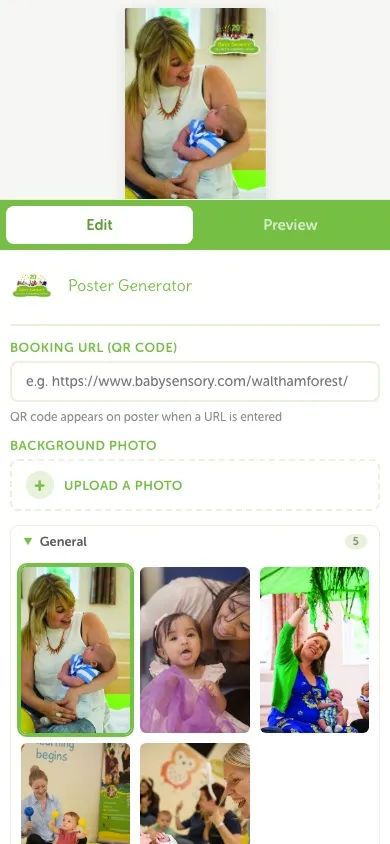
Under the constraints sits a proper design surface: drag to move, corner handles to resize, a rotate handle, snap-to-guides, undo/redo, and keyboard nudging. Enter a booking URL and a scannable QR code drops straight onto the poster. On mobile, the interface splits into Edit and Preview tabs so a poster can be built from a phone between classes.
3. Zero-Server Architecture
The entire application is client-side JavaScript — there is no backend at all. That decision did three jobs at once:
- Privacy: Uploaded photos never leave the device. For a business whose imagery is babies and parents, “nothing is uploaded to a server” isn’t a technical footnote — it’s a safeguarding feature.
- Cost: Static files on GitHub Pages mean the tool runs at £0 a month, forever. No hosting bill, no maintenance contract required to keep it alive.
- Speed: No round-trips. The live preview updates instantly, and export renders a print-ready JPG or PNG directly in the browser.
03. The Outcome
The poster workflow went from a multi-day, multi-person process to a five-minute job the class leader does herself:
- On-Brand by Default: Every poster that leaves the tool complies with the brand book — not because someone checked it, but because the tool can’t produce anything else.
- Minutes, Not Days: Seasonal and last-minute posters are made on demand, with no designer briefing, no revision cycles, and no per-poster fee.
- Runs Itself: A static, serverless build with no accounts, no logins, and no running costs — a tool that will keep working with zero upkeep.