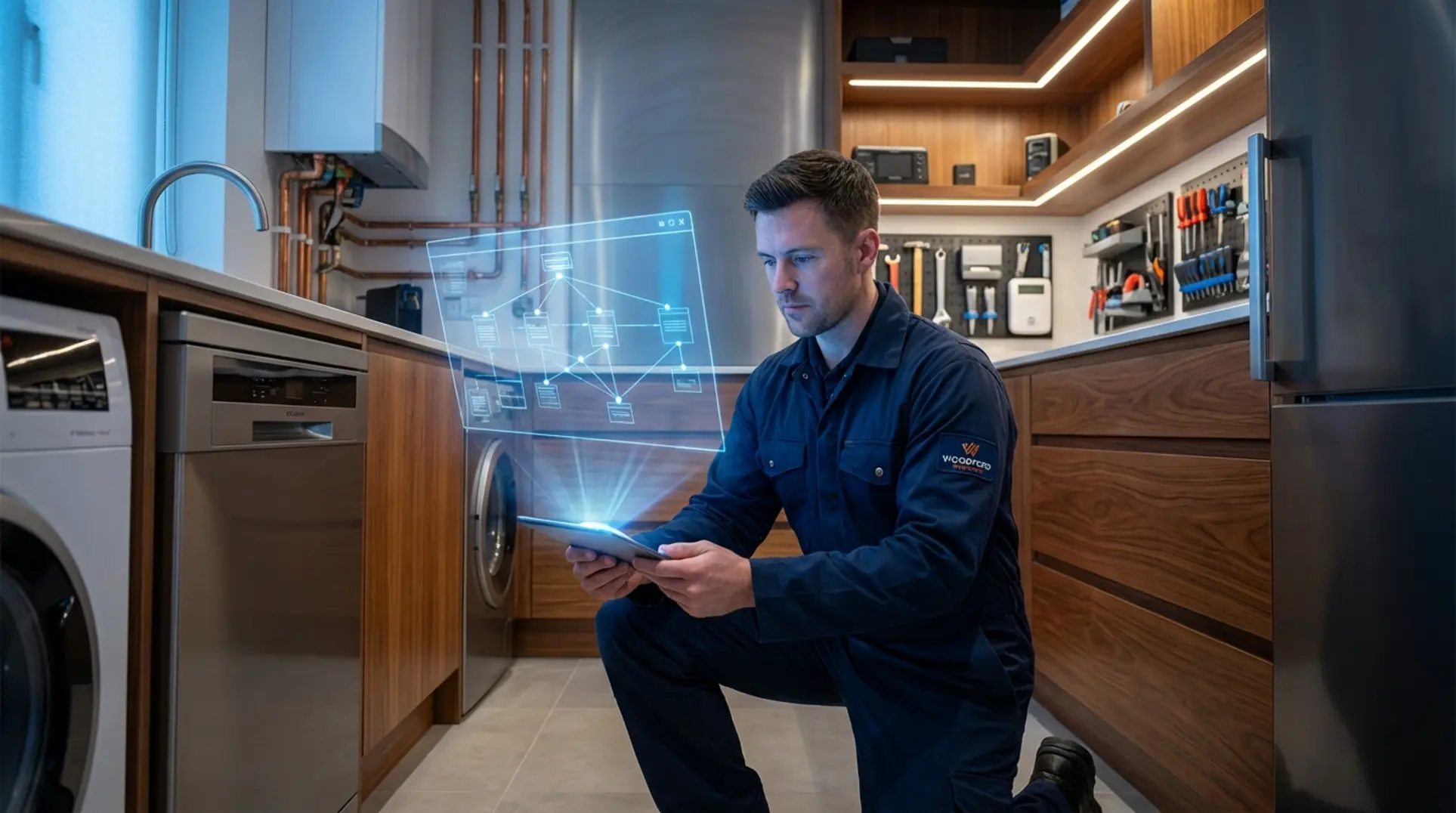
/* 🎯 Introduction */
🎯 Quick Answer
An
emergency plumber SEO diagnosticreveals that technical issues like high server latency (TTFB) and incorrect schema, not just content, are the primary reasons your website is invisible for “near me” searches.
- The Proximity Trap: Slow servers on mobile networks shrink your effective ranking area, making you invisible to nearby customers.
- Incorrect Signals: Using generic
LocalBusinessschema instead of the specificEmergencyServicetype fails to signal 24/7 availability to Google.- Technical Debt: Bloated plugins and inconsistent directory listings (NAP) create confusing signals that suppress your rankings.
This guide provides a complete checklist to diagnose and fix these issues.
You’ve invested in a professional-looking website for your plumbing business. It has all the right pages and your phone number is prominent, but the phone isn’t ringing for emergency call-outs. This is a common frustration known as the “Invisible Site” phenomenon, where a website is technically live but fails to appear for high-value, local emergency searches like “plumber near me.” In competitive markets like Woodford and the London commuter belt, where mobile performance is critical, simply having a website is no longer enough to compete against the local SEO competition density.
This article is not another guide about keywords. Instead, it serves as a technical diagnostic guide to uncover the infrastructural reasons you may be losing business to competitors. We will explore the “Proximity Trap,” explain how to send the right “emergency” signals with schema, and provide a self-audit checklist. By performing a comprehensive emergency plumber SEO diagnostic, we can identify why your site is invisible and exactly what to do about it.
👤 Written by: Jamie Grand Reviewed by: Jamie Grand, Technical SEO & Web Development Specialist Last updated: 28 December 2025
ℹ️ Transparency: This article explores technical SEO diagnostics based on server architecture and search engine guidelines. Some links may connect to our ‘Zero Upfront’ managed services. All information is verified and reviewed by Jamie Grand. Our goal is to provide accurate, actionable information to fix underperforming websites.
Table of Contents
- 01. The Proximity Trap: How Server Speed Defines Your "Near Me" Radius
- 02. The "Emergency" Signal: Using Correct Schema to Stand Out
- 03. 3 Hidden Reasons You're Invisible (The Diagnostic)
- 04. The Self-Audit Checklist
- 05. Frequently Asked Questions
- 06. Limitations, Alternatives & Professional Guidance
- 07. Conclusion
- 08. References
The Proximity Trap: How Server Speed Defines Your "Near Me" Radius
The “Proximity Trap” describes a scenario where your slow server response time (Time to First Byte or TTFB) causes Google to potentially shrink the geographical radius in which it shows your site for “near me” searches. This is especially critical for mobile users on variable 4G or 5G networks. For an emergency search, Google prioritizes mobile-first design for trade services to ensure speed and user experience. Consequently, a slow site, even if geographically closer to the user, may be filtered out in favor of a slightly more distant but faster-loading competitor.
Deep Dive on TTFB and Mobile Context
Time to First Byte (TTFB) is the number of milliseconds it takes for a user’s browser to receive the very first piece of data from your server after clicking a link. It is distinct from overall page load speed, which measures how long it takes for images and text to appear. TTFB measures the responsiveness of your server infrastructure itself. Running an emergency plumber SEO diagnostic often highlights high TTFB as a critical failure point for local rankings.
Consider the typical user journey: a potential customer in London or Woodford is standing on a commuter train with patchy 4G signal. They have a burst pipe and need help immediately. In this high-stress scenario, a low TTFB is critical. If your server takes 1.5 seconds just to “think” about sending data, the user—and Google—will likely abandon the request.
This technical performance directly impacts user confidence. Research from University College London on the mechanics of trust highlights that system reliability and responsiveness are fundamental to creating a trustworthy digital experience. A slow, unreliable site is perceived as an untrustworthy service [1].
The Business Impact
A high TTFB means you are effectively invisible to potential customers just a few miles away. Google’s algorithm attempts to provide the best answer in the fastest time; if your server lags, your effective catchment area shrinks. Your server’s location and performance are arguably as important as your physical business address for modern local SEO. Fixing your server speed is the first step. Next, you need to ensure you’re sending the right signals to Google that you’re actually an emergency service.
Figure 1: Diagram showing how server speed impacts the local SEO proximity trap for an emergency plumber SEO diagnostic. A slow server response time can make you invisible to customers in your own neighborhood.
The "Emergency" Signal: Using Correct Schema to Stand Out
To properly signal to Google that you offer 24/7 emergency services, you must use the EmergencyService schema type, nested within the Plumber schema. Relying on the generic LocalBusiness type that most plugins generate is often insufficient. Generic schema fails to communicate urgency or 24/7 availability effectively, which is why many tradesmen consult a schema markup specialist to avoid being missed in time-sensitive search results. A key step in any emergency plumber SEO diagnostic is validating that your schema explicitly screams “emergency.”
Technical Deep Dive: Why Plugins Fail
Most standard SEO plugins default to LocalBusiness or a basic Plumber schema. While accurate, these types do not differentiate a 9-to-5 installer from a 24/7 emergency responder. The EmergencyService sub-type is designed specifically for this purpose.
Furthermore, the openingHoursSpecification property must be formatted correctly to validate as “Always Open.” Many plugins implement this incorrectly, leaving gaps in your data that AI search tools may interpret as “closed.” To build a complete plumber website design, you must ensure these technical signals are hard-coded correctly.
Actionable Example (JSON-LD Snippet)
Below is a copy-paste-ready JSON-LD code block. This script nests the EmergencyService type inside the Plumber type, providing a robust signal to search engines.
<script type="application/ld+json">
{
  "@context": "https://schema.org",
  "@type": "Plumber",
  // Use your actual business name below
  "name": "Your Plumbing Company Name",
  // Use your actual image URL below
  "image": "https://www.yourdomain.com/logo.png",
  "@id": "https://www.yourdomain.com",
  "url": "https://www.yourdomain.com",
  "telephone": "+441234567890",
  // Use your actual address below
  "address": {
    "@type": "PostalAddress",
    "streetAddress": "123 High Street",
    "addressLocality": "Woodford",
    "postalCode": "E18 2QL",
    "addressCountry": "GB"
  },
  // This section defines the Emergency Service capability
  "department": {
    "@type": "EmergencyService",
    "name": "24/7 Emergency Plumbing Response",
    "telephone": "+441234567890",
    "openingHoursSpecification": {
      "@type": "OpeningHoursSpecification",
      "dayOfWeek": [
        "Monday",
        "Tuesday",
        "Wednesday",
        "Thursday",
        "Friday",
        "Saturday",
        "Sunday"
      ],
      "opens": "00:00",
      "closes": "23:59"
    }
  },
  "priceRange": "££"
}
</script>
Implementing this precise schema is a powerful technical signal that AI-generated advice and basic SEO plugins often miss. It directly tells Google to include you in urgent, high-value search results. With your speed and signals corrected, we now need to audit for other invisible issues that could be holding you back.
3 Hidden Reasons You're Invisible (The Diagnostic)
Beyond speed and schema, your site’s invisibility is often associated with three hidden issues: inconsistent business data across the web, bloated website code, and generic, non-local content. When we run an emergency plumber SEO diagnostic, we frequently find these three factors silently killing conversion rates.
1. The NAP "Data Echo" & Inconsistency
Old addresses or incorrect phone numbers on obscure UK directories (like Yell, Thomson, or 192.com) create a “confused” signal for Google. This is often referred to as a “Data Echo.” Even if your website is correct, conflicting data elsewhere erodes Google’s trust in your location validity. This confusion may suppress your Google Maps visibility and “near me” rankings, as the algorithm prefers businesses with verified, consistent Google Business Profile optimization. We recommend ongoing NAP cleaning and schema updates to mitigate this risk.
2. The "Plugin Tax" on WordPress
Adding multiple plugins for SEO, contact forms, sliders, and pop-ups adds layers of bloated code (CSS and JavaScript) that can dramatically slow down a site. This “Plugin Tax” increases TTFB and hurts Core Web Vitals, triggering the “Proximity Trap” discussed earlier. For mobile users, this results in a poor experience. This is why many tradesmen are moving toward bespoke, custom-coded websites that eliminate this bloat entirely.
3. Generic, Non-Local Content
Many sites feature a “Services” page that is entirely generic. It often lacks specific local modifiers, landmarks, or discussions of service areas (e.g., “serving Woodford and the Epping Forest district”). Without these local signals, Google struggles to confidently rank you for geographically specific searches.
Fixing these deep technical issues requires a specific skillset. A 2024 UK Government report on cyber security skills found that nearly a third of firms face a technical skills gap, highlighting why relying on professional help to solve these infrastructural problems is often necessary [2].
The Self-Audit Checklist
Use this checklist to perform a quick emergency plumber SEO diagnostic on your own website. These three tests will give you a clear indication of where your problems lie.
-
Check Your Core Speed (TTFB)
- Tool: GTmetrix or Google PageSpeed Insights.
- Action: Run your homepage URL through the test. Look specifically for the “Time to First Byte” or “Server Response Time” metric. Anything over 600ms is a red flag for local SEO and indicates your server is struggling to respond to requests.
-
Check Your Schema Validity
- Tool: Google’s Rich Results Test.
- Action: Enter your URL. Does it detect a
PlumberorEmergencyServicetype? Or does it only showLocalBusiness? Look for errors or warnings related to your opening hours. If “EmergencyService” is missing, you are missing a key ranking signal.
-
Check Your NAP Consistency
- Tool: Moz Check Listing or a manual Google search.
- Action: Google your business name and address in quotes. Do the listings on the first few pages (especially on directories) show the exact same Name, Address, and Phone Number? Note any variations, such as old landlines or previous office addresses.
If you found red flags in any of these areas, you’ve likely identified a key reason your site is underperforming.
Frequently Asked Questions
Why is my plumbing website not showing up on Google Maps?
Your plumbing website may not show on Google Maps due to inconsistent NAP (Name, Address, Phone Number) data across online directories, a poorly optimized Google Business Profile, or high server latency. When Google finds conflicting information, it loses trust and may suppress your listing. Ensure your address is identical everywhere and that your website loads quickly for mobile users.
How to get more emergency plumbing leads?
To get more emergency plumbing leads, ensure your website loads in under 3 seconds on mobile, uses EmergencyService schema to signal 24/7 availability, and has a clear, clickable call-to-action at the top of the page. A slow website is often the biggest killer of emergency leads, as users will immediately click back and choose a faster competitor.
Does website speed affect local SEO for tradesmen?
Yes, website speed, particularly server response time (TTFB), is a critical factor for local SEO for tradesmen. Google prioritizes fast, mobile-friendly experiences for “near me” searches. A slow website can reduce your effective ranking radius, making you invisible to potential customers in your immediate service area, especially in areas with variable mobile coverage.
What is the best schema for emergency services?
The best schema for emergency services is the EmergencyService type, nested within a more specific business type like Plumber. This is superior to the generic LocalBusiness schema because it explicitly tells Google your service is for urgent situations and should be considered for time-sensitive queries, especially when combined with a valid 24/7 openingHoursSpecification.
Why do competitors rank higher for 'plumber near me'?
Competitors often rank higher for “plumber near me” because their websites have a faster server response time (TTFB) and more consistent NAP data across the web. Even if your business is physically closer, Google may favor a competitor whose website provides a better, faster mobile experience, effectively giving them a larger “proximity radius” in search results.
How to fix wrong business address on Google?
To fix a wrong business address on Google, first update it directly in your Google Business Profile dashboard and then systematically find and correct the incorrect listings on all other online directories (e.g., Yell, Thomson). This process, known as NAP cleanup, is crucial because inconsistent data erodes Google’s trust and harms your local rankings.
Is Google Ads or SEO better for emergency plumbers?
Both are effective, but they serve different goals. Google Ads provides immediate visibility for emergency plumbers but can be expensive and stops when you stop paying. Technical SEO builds a long-term asset that generates organic leads at a lower cost over time. A combined strategy often works best: use Ads for instant results while building your organic SEO foundation.
How to rank for 24 hour plumber?
To rank for “24 hour plumber,” you must implement EmergencyService schema with a 24/7 openingHoursSpecification on your website. Additionally, your Google Business Profile must be set to “Open 24 hours.” Finally, ensure your site is extremely fast on mobile to capture users who need an immediate response at any time of day.
Limitations, Alternatives & Professional Guidance
While this diagnostic checklist covers common technical issues, it is not exhaustive. Other factors like backlink profiles, domain authority, and content quality also influence rankings. SEO is a dynamic field, and algorithm updates can change the weight of different ranking factors. The findings from this self-audit should be seen as a starting point for a deeper investigation rather than a guaranteed fix for all visibility issues.
While technical SEO is a powerful long-term strategy, alternative methods can provide immediate results. Google Ads and Local Service Ads can place your business at the top of search results instantly, which is highly effective for capturing emergency leads. This shift to digital-first solutions is part of a broader trend identified in the OECD’s 2024 Digital Economy Outlook, where technical proficiency is becoming a key differentiator in service industries [3]. Social media advertising targeting local postcodes can also build brand awareness, though it is typically less effective for in-the-moment emergency searches.
If your self-audit reveals significant issues with server speed or you’re unsure how to implement schema correctly, it is advisable to seek professional help. A technical SEO specialist can perform a comprehensive audit, clean up inconsistent NAP data, and implement code-level fixes that plugins cannot. In a market where technology is rapidly advancing, as shown by the UK’s 58% growth in AI firms in 2024, a technically sound digital presence is no longer optional [4].
Conclusion
Your plumbing website’s invisibility is likely a technical problem, not a content one. The “Proximity Trap” caused by slow servers, incorrect schema signals, and inconsistent data are the most common culprits. By performing an emergency plumber SEO diagnostic, you can uncover these foundational issues and begin to reclaim the local traffic you’ve been missing. Remember that a fast, technically sound website is your most valuable asset for capturing emergency leads.
Diagnosing these problems is the first step, but fixing them requires technical expertise. Jamie Grand specializes in replacing slow, underperforming websites with ‘Zero Upfront’ managed solutions built for speed and reliability. If your audit revealed red flags, don’t guess at the solution. Claim a free technical audit, and we’ll provide a detailed, no-obligation report on exactly what’s holding your site back.
// Written by: Jamie Grand
// Last updated: